This page covers the CAM package integration-specific finishing options available in the Finishing Advanced options in the Prepare stage
Additional finishing options are available for specific CAM packages to make best use of their available toolpaths and wider functionality.
Depending on which CAM package was used to launch CAM Assist additional finishing options are available:
| Autodesk Fusion |
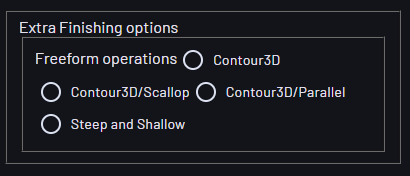
- Freeform operations - Select which freeform option to use:
- Contour3D - always use contour 3D operations
- Contour3D/Parallel - use Contour3D for steep areas and Parallel for shallow areas
- Contour3D/Scallop - use Contour3D for steep areas and Scallop for shallow areas
- SteepAndShallow - always use Steep and Shallow operations
|  |
 | Mastercam |
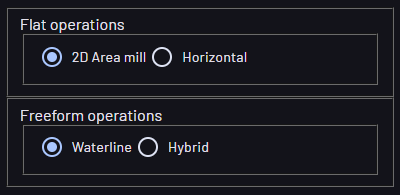
- Flat operations
- 2D Area mill - where possible, use 2D mill; otherwise, use Horizontal
- Horizontal - use the 3D High Speed Horizontal strategy.
- Freeform operations
- Waterline - use the Waterline strategy for finishing freeform operations
- Hybrid - always use Steep and Shallow operations.
|  |
